Follow my blog for more interesting topics on Dynamics 365, Portals and Power Platform. For training and consulting, write to us at info@xrmforyou.com
This one was pretty surprising and today I faced this error while trying to implement the most mundane operation with Power Automate. On create of an Account, depending on the Account Category, I need to create specific review tasks.
Well that was easy as it gets. I used the Common Data Service (Current Environment) connector to connect to my Dynamics 365 instance.
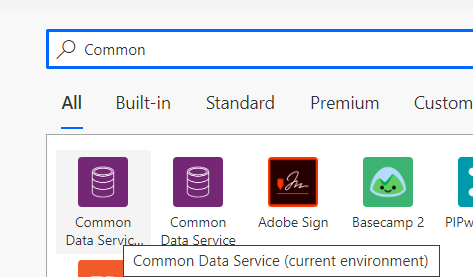
And set up the flow to be triggered on create of an account.
In the next step I am creating a task with the same Common Data Service (Current Environment) and set the Regarding to account created in previous step.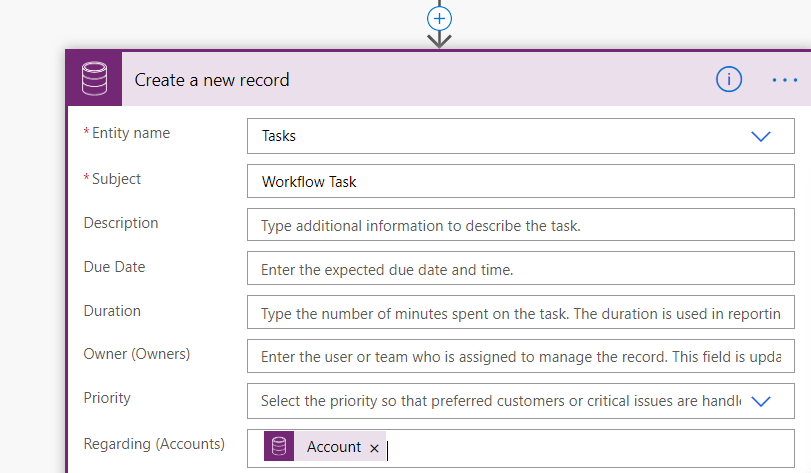
I saved the flow alright. And then when I create an account record, I see the flow have failed. Quite surprising. I opened up the flow and this is what I find.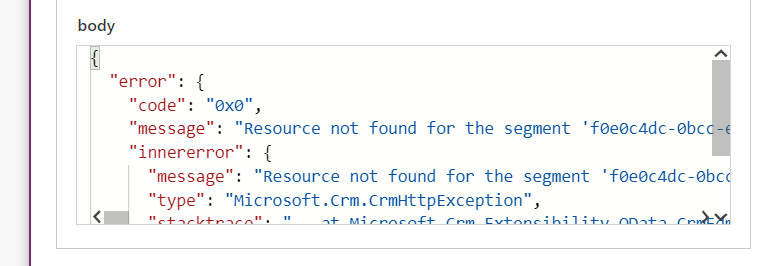
“Resource not found for the segment” – An error I am so much accustomed to facing while writing Web API queries. Because of familiarity of the error, I realized what is wrong and then changed the regarding field expression to below.
Similar to the way you provide a lookup value using WebAPI.
And now when I save the workflow and create another account, voila! it works. In the era of low code or no code, I shall say that’s quite a trick to make it working. And it does not make sense. After all we have the specific field for account but again we need to set the type. But I believe it is an issue with new connector because previously also I used the same functionality and it worked. So I remove the CDS current environment connector and used the Common data service connector.
And there you go.
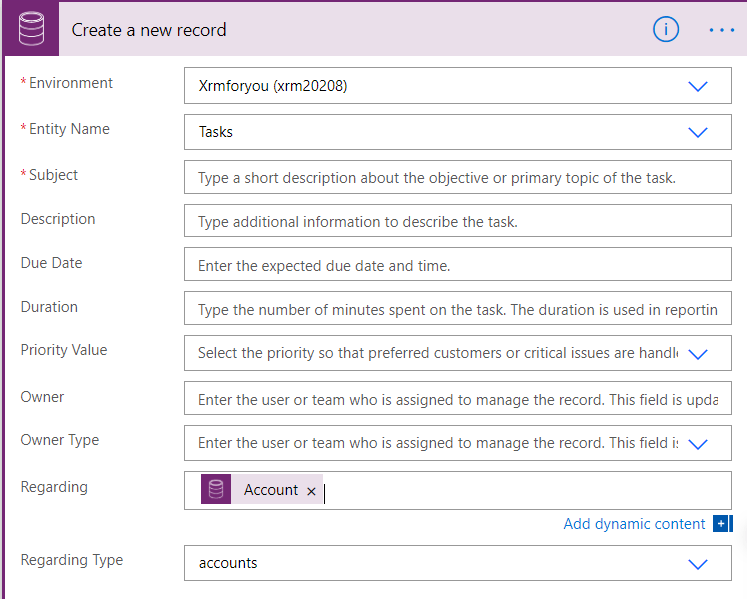
It’s one single field called Regarding. However Regarding Type you can set it to the appropriate entity. So Common Data Service (Current Environment) is indeed the culprit. I leave it to your which one should you choose.
Hope this helps!
Debajit Dutta
(Business Solutions MVP)
Discover more from Debajit's Power Apps & Dynamics 365 Blog
Subscribe to get the latest posts sent to your email.